Recommended settings for Stripe
As a mentor on MentorCruise, you're managing your own Stripe account. This has many upsides – the lowest fees possible, full control over your mentoring, the flexibility of the Stripe toolkit – but it also means that you might miss out on a few crucial settings in its default state.
This is a quick guide on settings we recommend our mentors to take, either for safety reasons, for comfort or simply to make your mentoring even more effective.
Set up a descriptive statement descriptor
You are able to customize the statement descriptor that shows up on your mentee's credit cards. One common mistake is to use your business name, or potentially worse the name of another business (like "Medium.com" or "Linkedin.com").
When mentees don't recognize your statement descriptor, this can lead to bank chargebacks, which in turn causes additional fees and damage to your Stripe account.
Statement descriptors can be edited here.
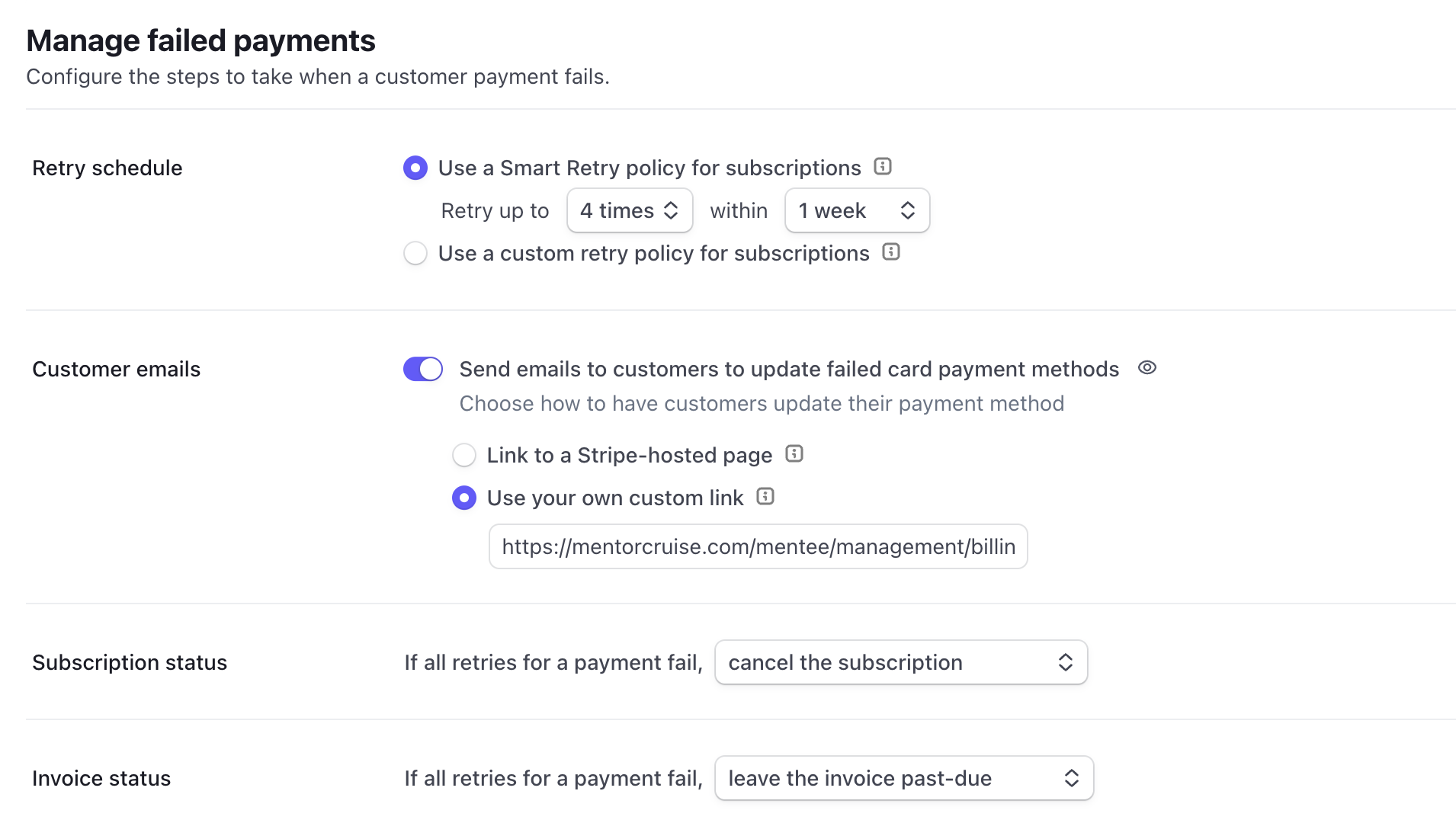
Strengthen your "Retry" settings
Payments fail all the times – anything from expired credit cards, low balance to frozen cards. Our system will automatically retry failed payments, but Stripe can be a huge help in resolving these issues quickly.
Review your billing settings for subscriptions and invoices.
At the very least, you'd want to:
-
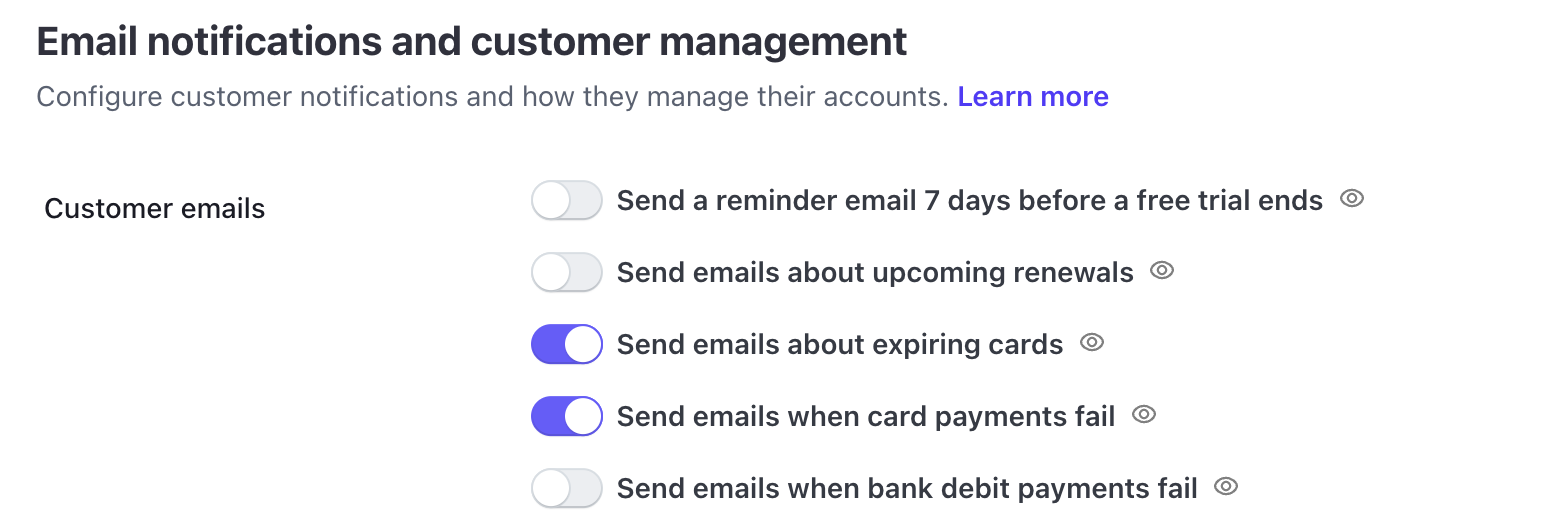
Send customer emails when payments fail & cards expire. Do NOT send a reminder email 7 days before the free trial ends – as the trial itself is 7 days long.
-
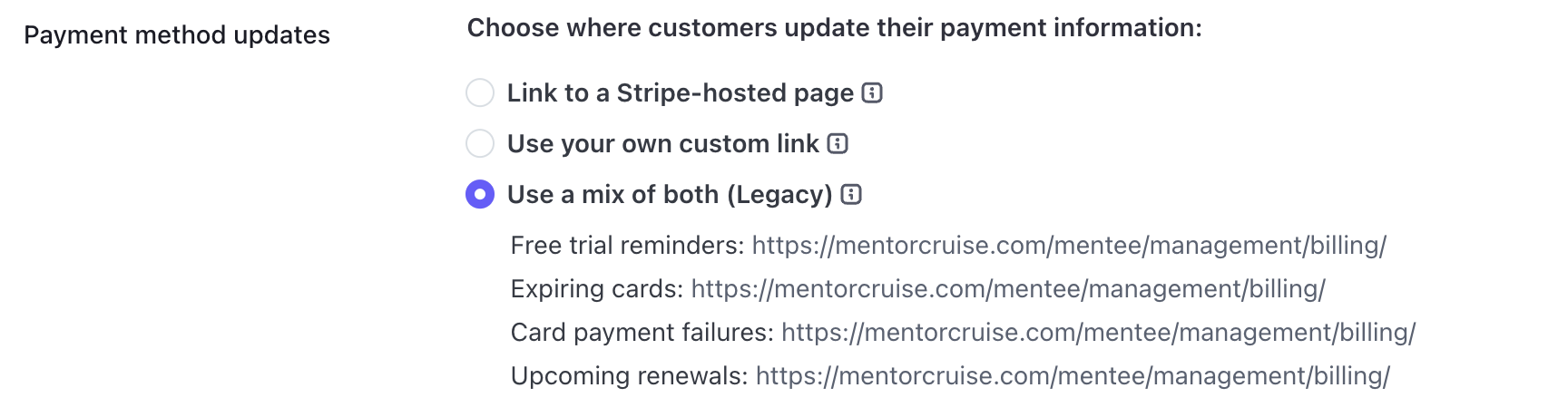
Use a Stripe-hosted page for payment updates, or link directly to MentorCruise (https://mentorcruise.com/mentee/management/billing/)
-
Retry payments for a week (either smart or classic), then cancel the subscription.