Your availability, all in one place
We’ve added a new Availability tab under Settings to make it easier for you to manage mentoring workload. Right now, this is where you can:
- Manage your mentorship limits
- Take a break when you need to
Mentorship limits
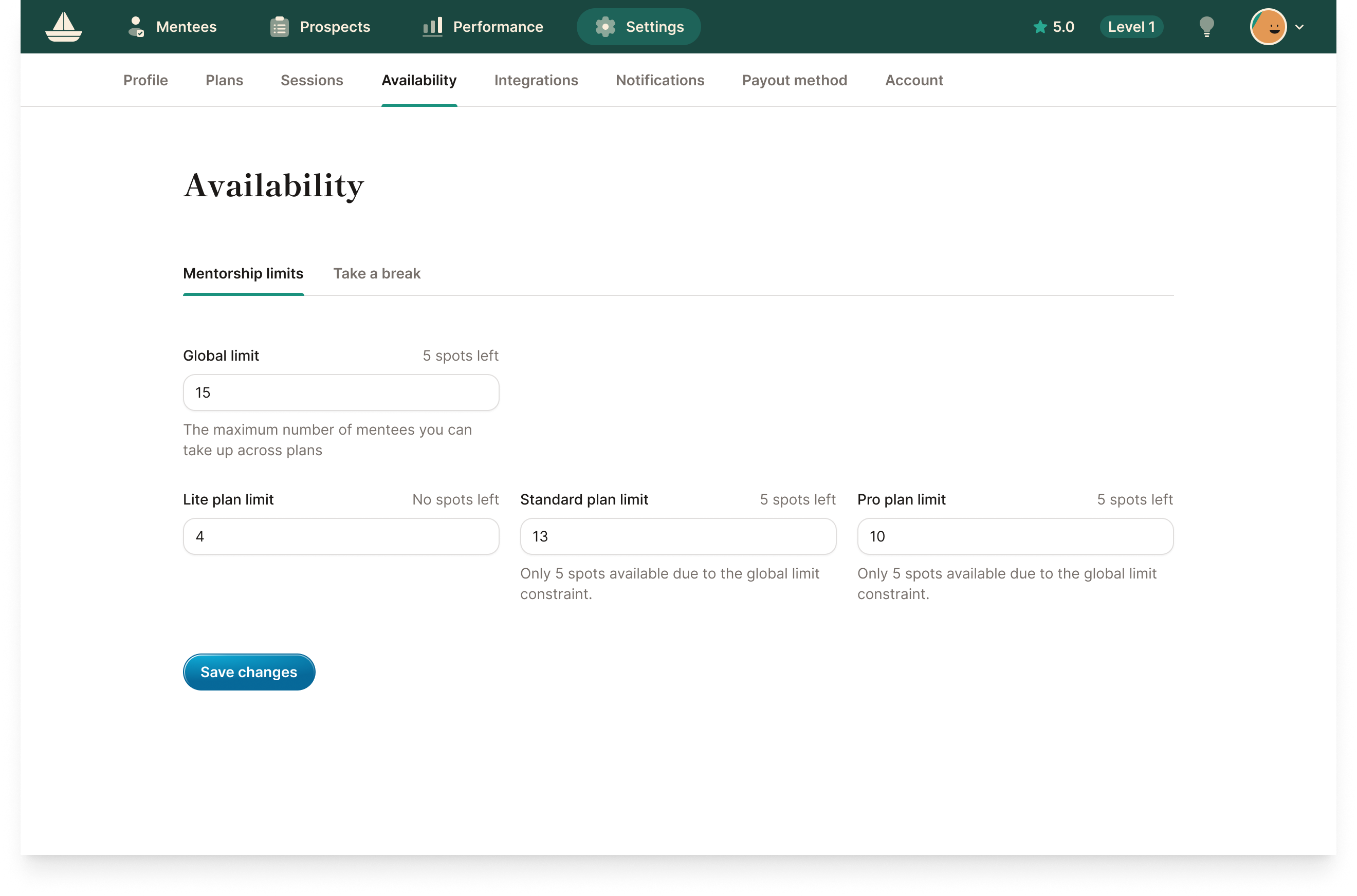
Mentorship limits is where you control how many mentees you can take on for each mentorship plan. We've moved it from Settings > Plans to Settings > Availability, and made some adjustments to the Global limit field:
- Setting your Global limit to zero was previously a workaround for marking yourself unavailable for new mentorships.
- Going forward, the Global limit is only used to cap the total number of mentees you can have across all plans.
There’s now a better way to mark yourself unavailable.
Take a break
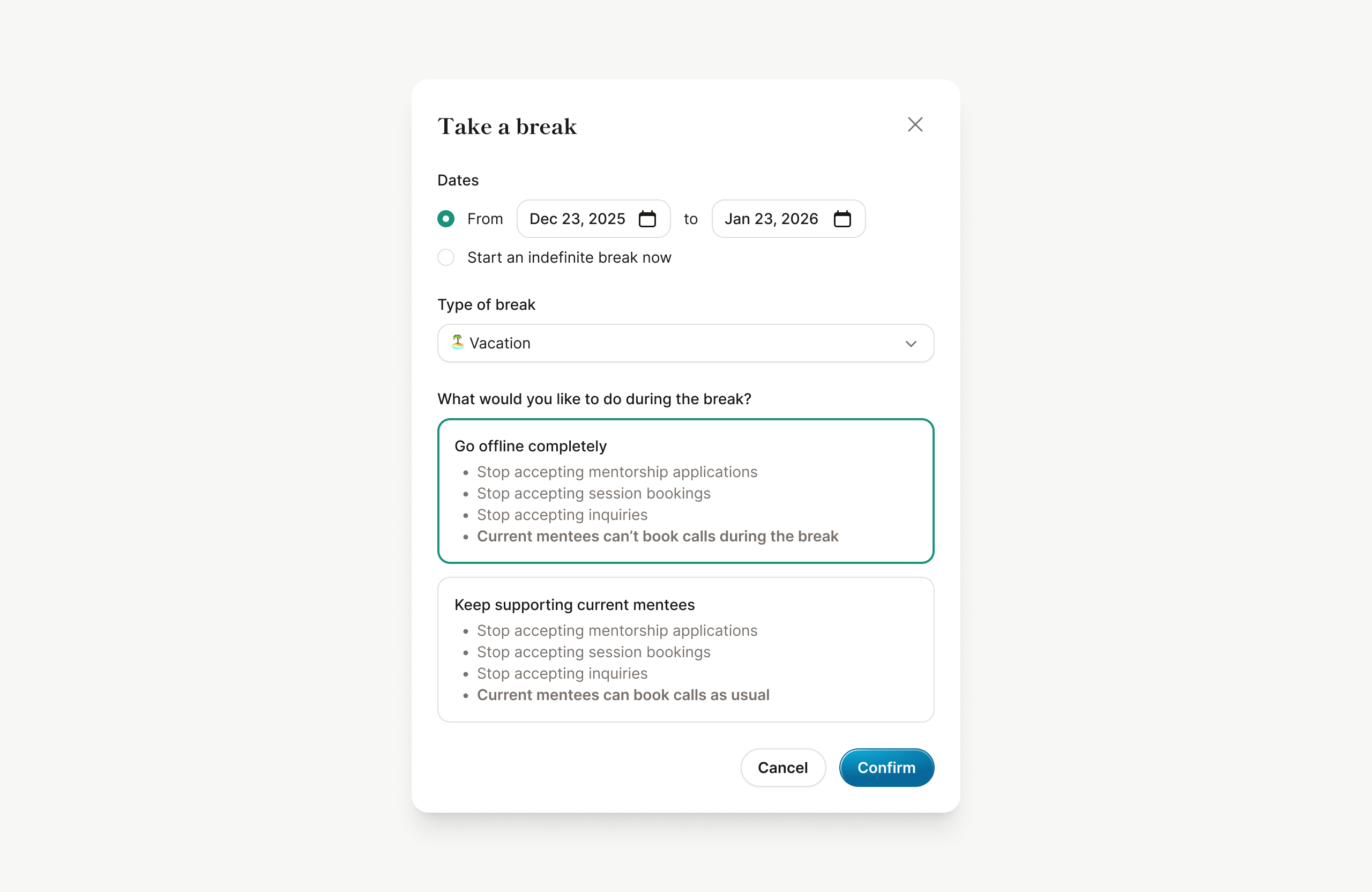
Previously, taking time off meant going to multiple places to close your mentorship spots, turn off session bookings, and stop accepting inquiries, then remembering to turn these settings back on later.
You can now simply schedule a break under Settings > Availability > Take a break.
Learn more about how "Take a break" works
What's next?
This is just the first step. We’ll be expanding Availability to cover more scheduling settings soon. Stay tuned!